Tutorial 9 of 12
Keep a chat or a knowledge base private
For adults. Keep a chat, or a set of your own documents, where only you can see them.
Every adult in the family, parent or not, can keep chats and documents just for themselves. Child accounts do not have these options.
1. Keep a chat private
Start a chat as usual. At the top of the chat you will see a Private and Shared switch. When Private is selected, the line under the chat title reads Private chat — only you can see it, with a small lock.
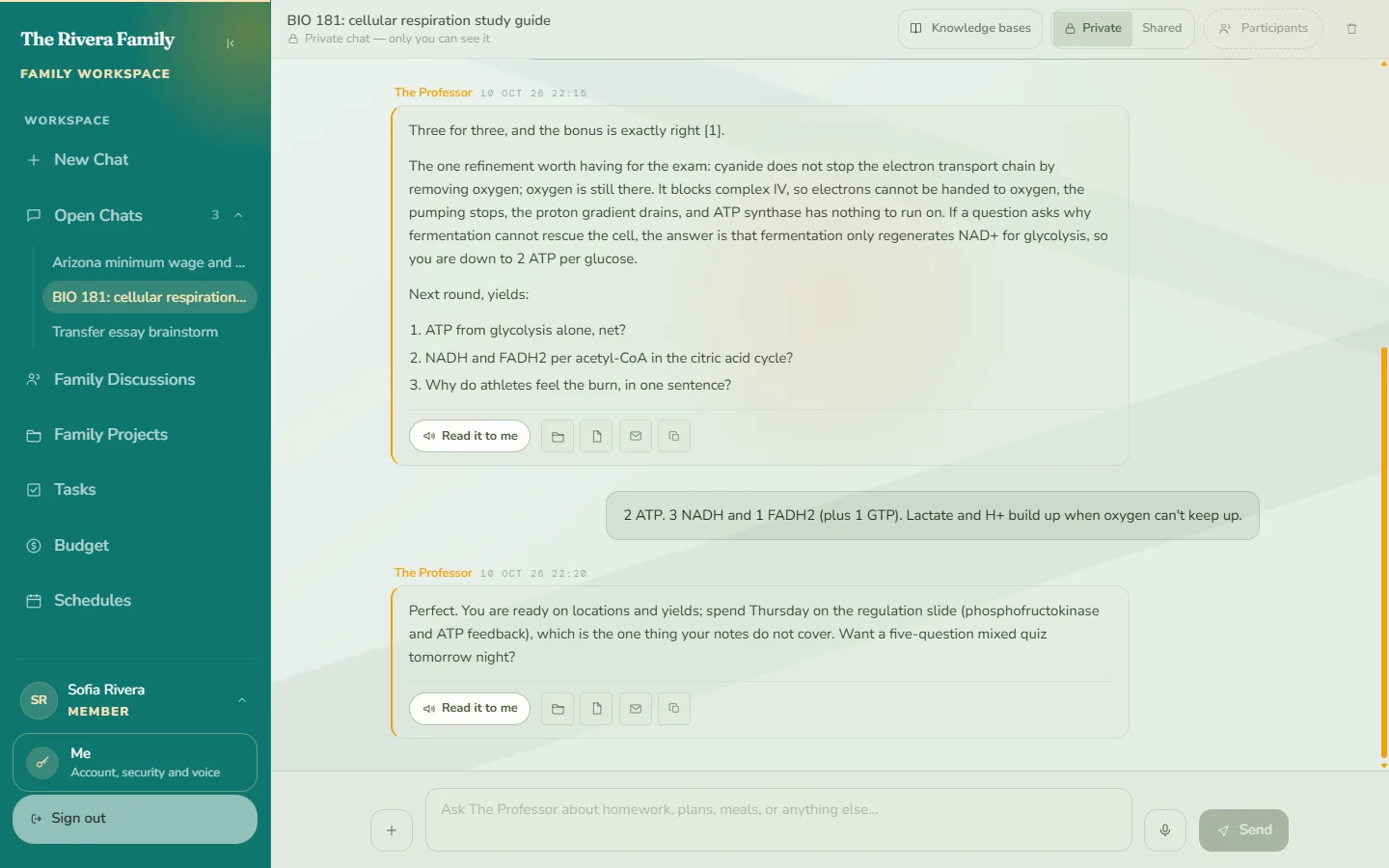
Your private chats are listed under Open Chats in the sidebar, so you can pick one up again later. Parents cannot read an adult’s private chats.
2. Share a chat when you want company
To bring someone in, choose Shared. Grace asks you to confirm first, because two things change: your private knowledge bases stop being searched in that chat, and you can then add participants.
3. Create a private knowledge base
Open the Knowledge base page and choose New private knowledge base. Give it a name and, if you like, a short description, then select Create.
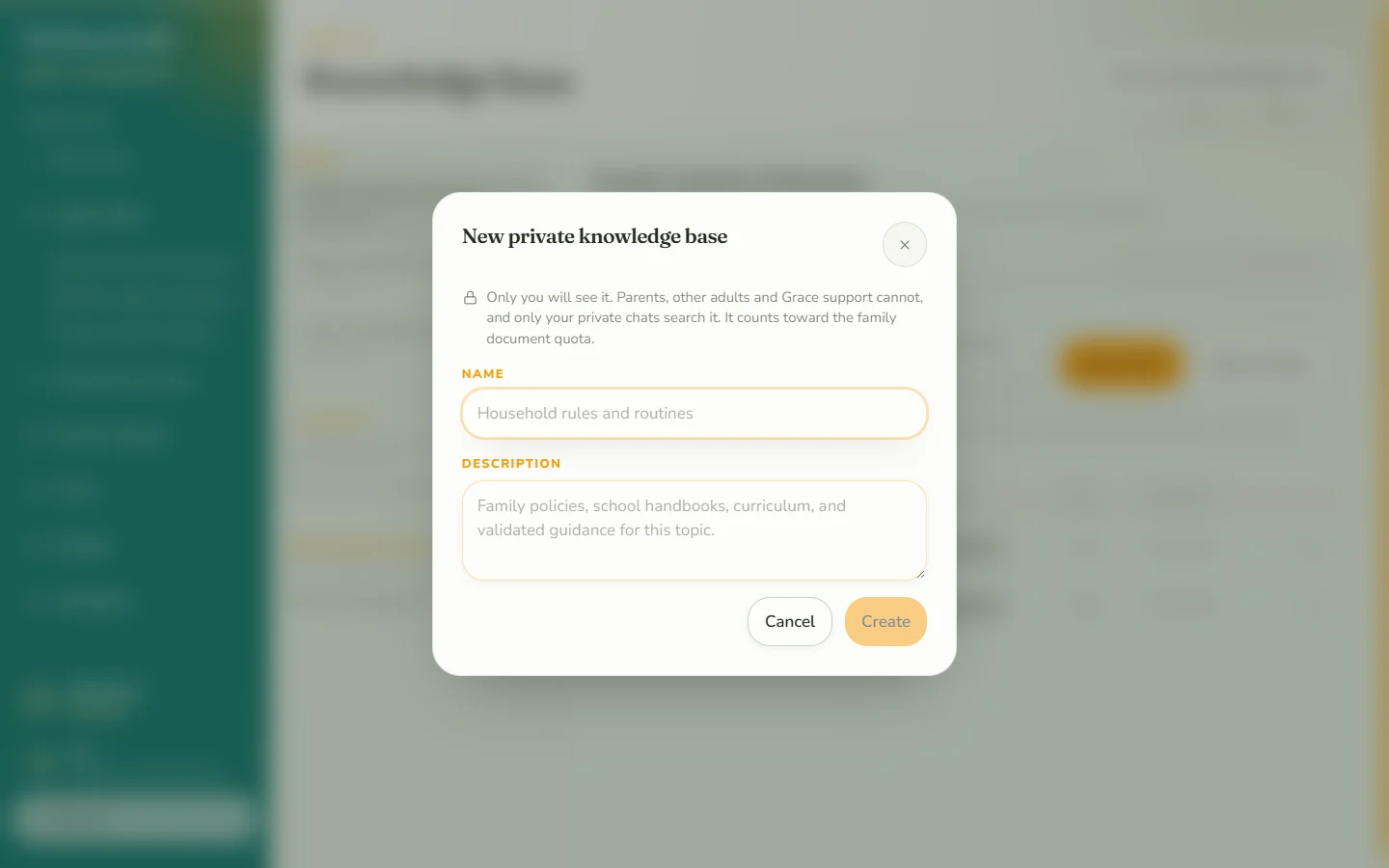
The dialog says it plainly: only you will see it. Parents, other adults and Grace support cannot. It does count toward the family’s document storage.
4. Add your documents
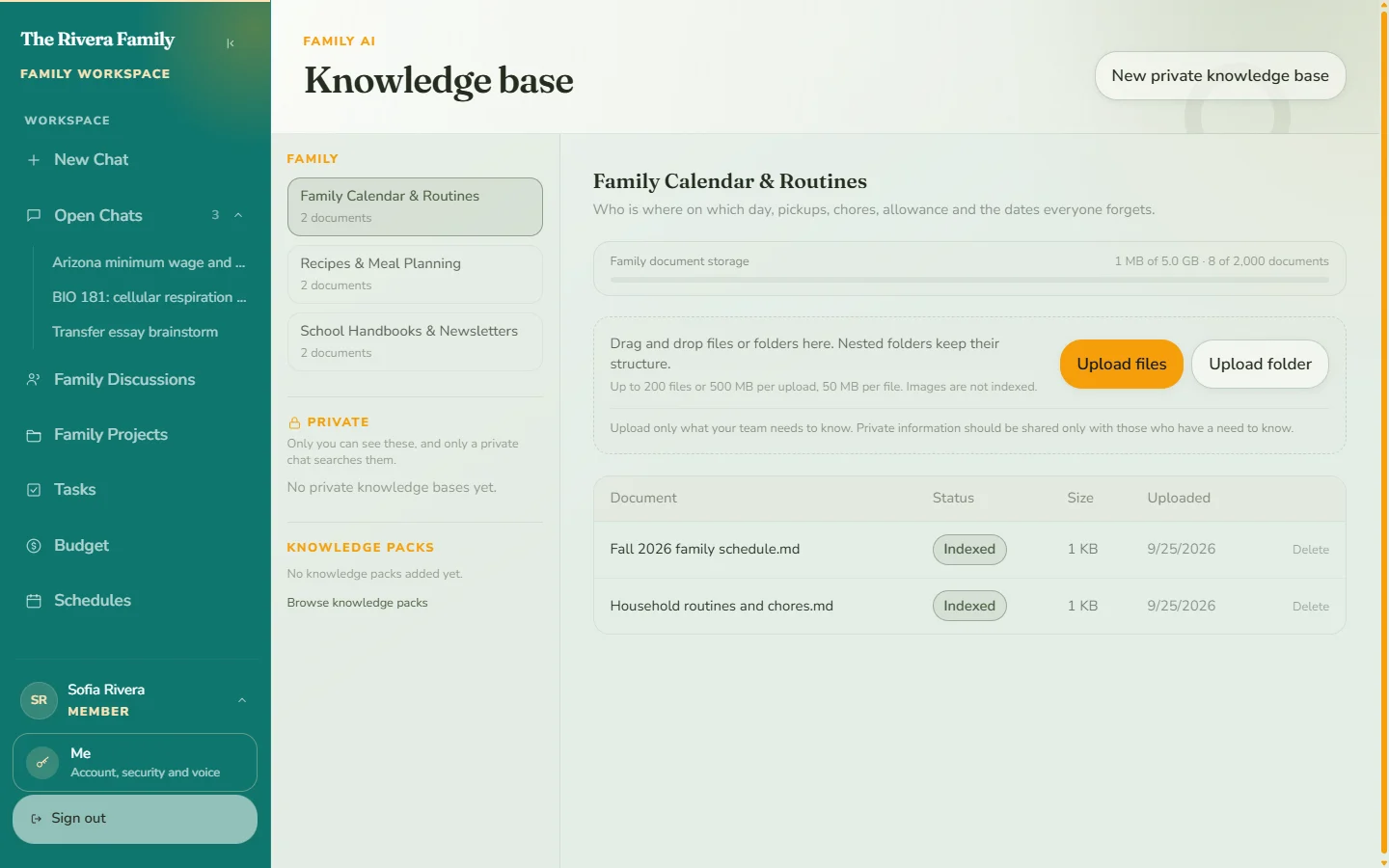
Your private knowledge bases appear under Private on the left of the Knowledge base page, below the family ones. Select one, then use Upload files or Upload folder to add documents.
5. Ask from your private documents
Private knowledge bases are searched only in private chats. Start a private chat and use the Knowledge bases button at the top to pick what that chat should search.
Good to know
- Family knowledge bases are managed by parents. As an adult member you can read from the ones you have access to, and manage your own private ones.
- If you switch a chat from private to shared, your private documents are no longer searched in it.